
FAQ
Answers to frequently asked questions about Sunsama features and usage.
Daily Planning
How do I exit daily planning?
You can exit daily planning by navigating to another workspace view. Click on any view in the left hand panel, such as “Home”, or use keyboard shortcuts, such as H, to navigate away from daily planning.
You can always re-enter daily planning by clicking on it in the left panel or using the keyboard shortcut P.
Weekly Objectives
Where did my weekly objectives go?
Weekly objectives only display for the currently-viewed week. Change the week by adjusting dates in kanban, calendar, or the calendar mini-map.
Calendars
How do I add more calendar accounts?
Add multiple Google, Outlook, and Apple accounts via the “Calendars” page in Integration settings.
How can I automatically import calendar events?
Enable auto-sync in Meeting Import settings within the Calendar settings pages.
Some events aren’t auto-importing. What should I check?
Verify the “Include specific event types” setting in Meeting Import settings.
How do I adjust calendar notifications?
Sunsama shows notifications only in focus mode. Configure deeper controls via your underlying calendar (Google/Outlook).
Why do green task checkboxes appear in wrong positions?
The green checkboxes in the Sunsama calendar view do not correspond with the box of a calendar event. Instead, that green checkbox shows on the calendar at the time the checkmark was made.
You can disable this via settings if preferred.

How can I control working session colors?
Account settings allow display as either “Color by channel” or “Color by calendar”.
Tasks
I’ve deleted a task accidentally. Can I recover it?
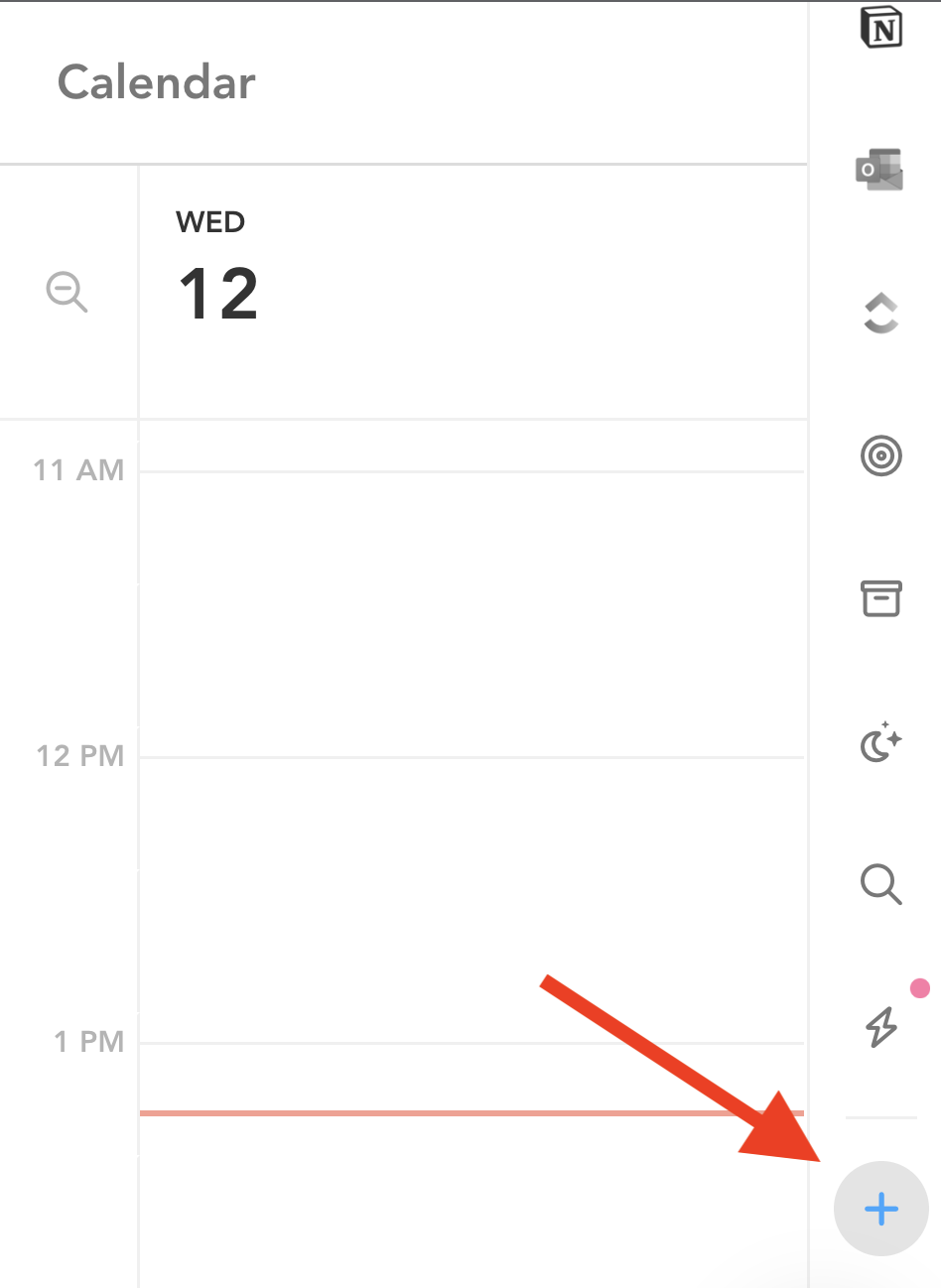
Use CMD Z immediately to restore. For past deletions, find tasks in the trash bin via the + button in the right panel.
How do I search for a task?
Use the right panel search feature or CMD F (Mac) / CTRL F (Windows). Apply filters and parameters as needed.
How can I show all tasks in a channel?
The search panel in the right hand panel (magnifying glass icon) lets you list out all your tasks, filter them by channel, type, and date.
Can I open integration tasks in desktop apps?
Hold CMD (Mac) or Ctrl (Windows) when clicking the backlink to open in the desktop app.
What happens when I delete a channel?
Tasks become uncategorized; task data is not deleted.
How do I delete subtasks?
Backspace through the entire subtask text line.
How do I hide subtasks?
Right click on a task and select “hide/reveal subtasks” to collapse or show subtasks on the task list view.
Timeboxing
How do I break timeboxed tasks across multiple day parts?
Drag and drop the task to the calendar multiple times, or use the working sessions pop-out. Adjust durations as needed.
How do I timebox to different calendars?
Tasks default to the internal Sunsama calendar. Change via calendar integration settings, or link channels to specific calendars.
How do I prevent tasks/meetings from counting against workload?
Categorize items into a “Personal” Context. Anything in a personal context never counts as work.
How do I add all calendar events to my task list?
Enable auto-sync from calendar settings.
How do I “check off” meetings?
Change the “auto-completion” setting to “Never” in Settings > Calendar > Meeting import.
How do I set a start time for a task?
Drag and drop the task to the calendar (timeboxing).
Recurring Tasks
How do I create a recurring task?
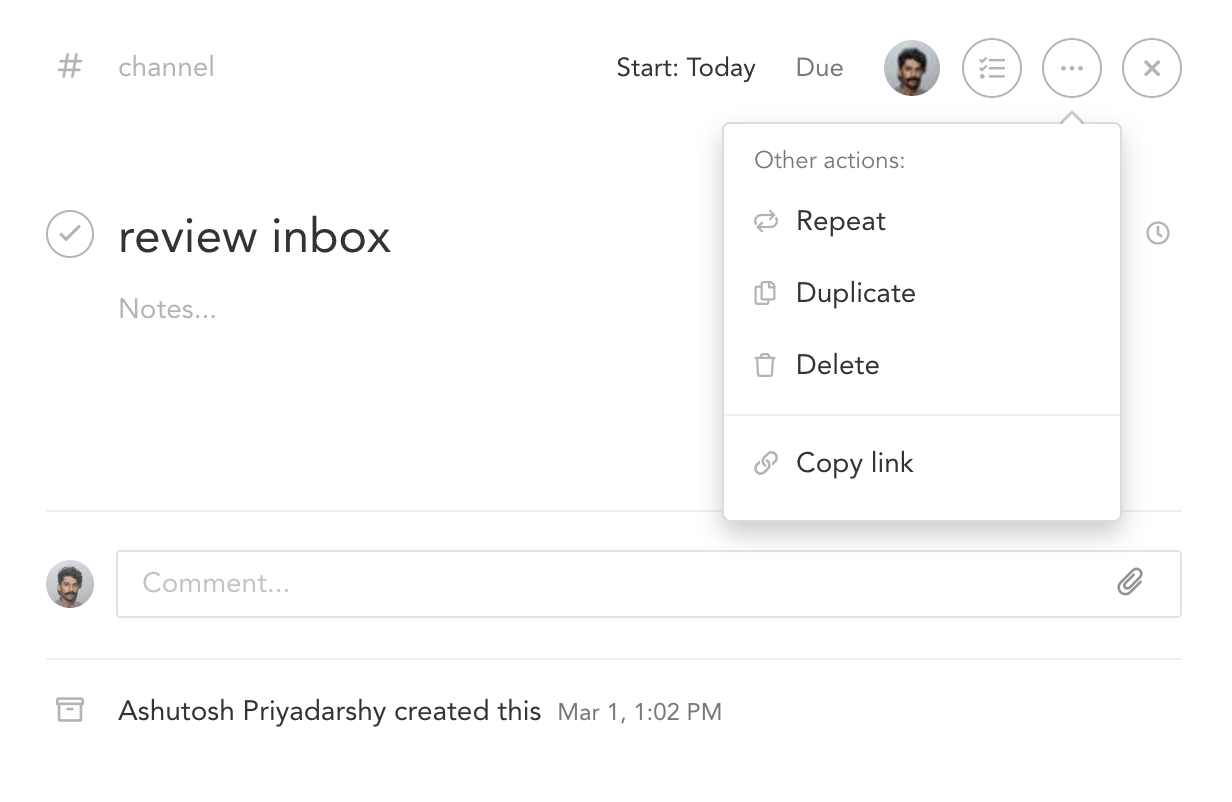
Create a task, then set it to repeat via the details menu.
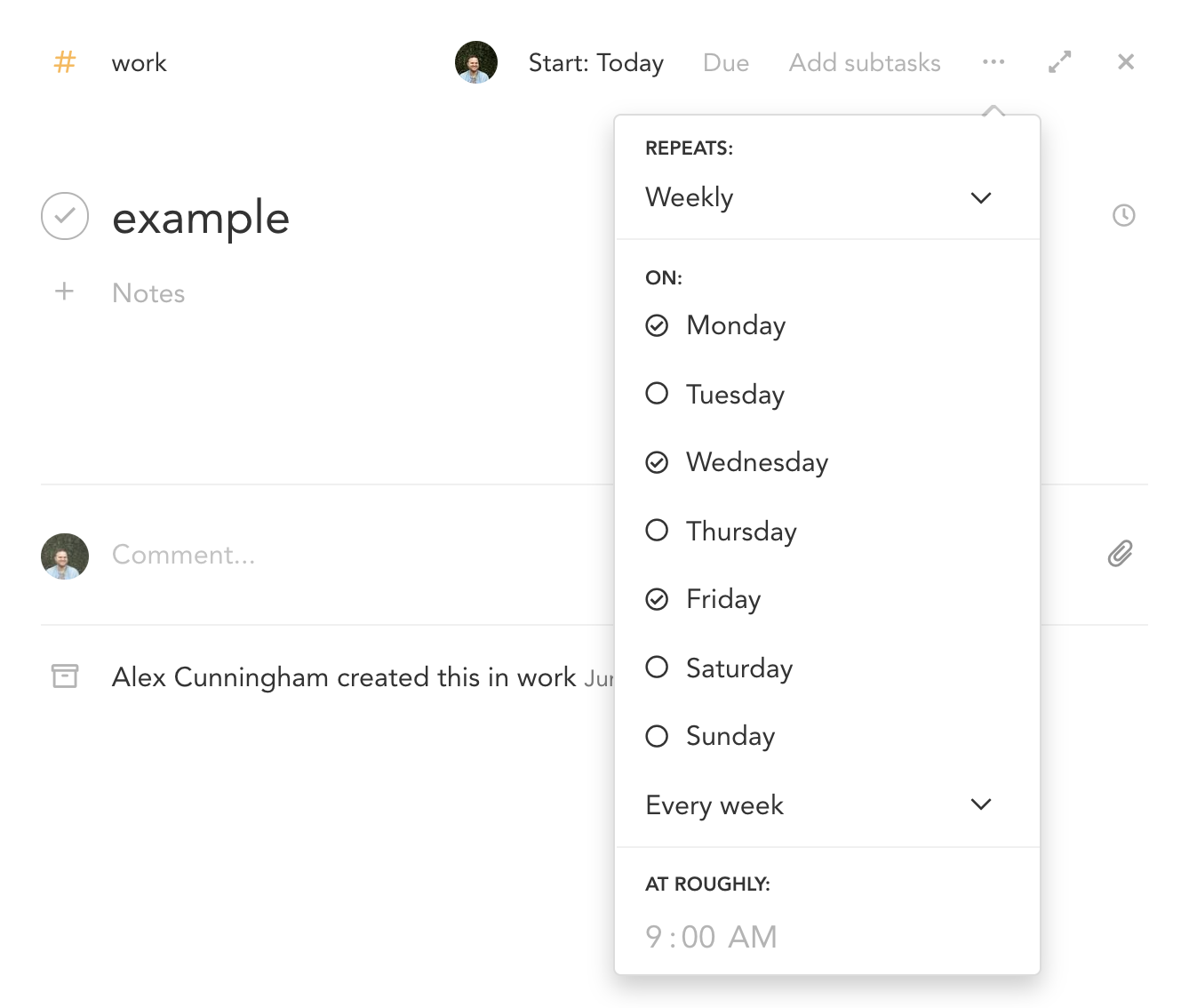
How do I create weekly-specific recurring tasks?
Select “Weekly” for the repeating option and choose specific days.
Recurring Sunsama task or calendar event?
See: Recurring tasks versus recurring calendar events
Task Rollover
How do I handle uncompleted yesterday’s tasks?
At midnight, any uncompleted task will roll over to the next day. Drag into yesterday’s column or select yesterday’s date to mark complete.
Why does task time differ between list and card views?
Task cards show cumulative actual time; lists show daily logged time only.
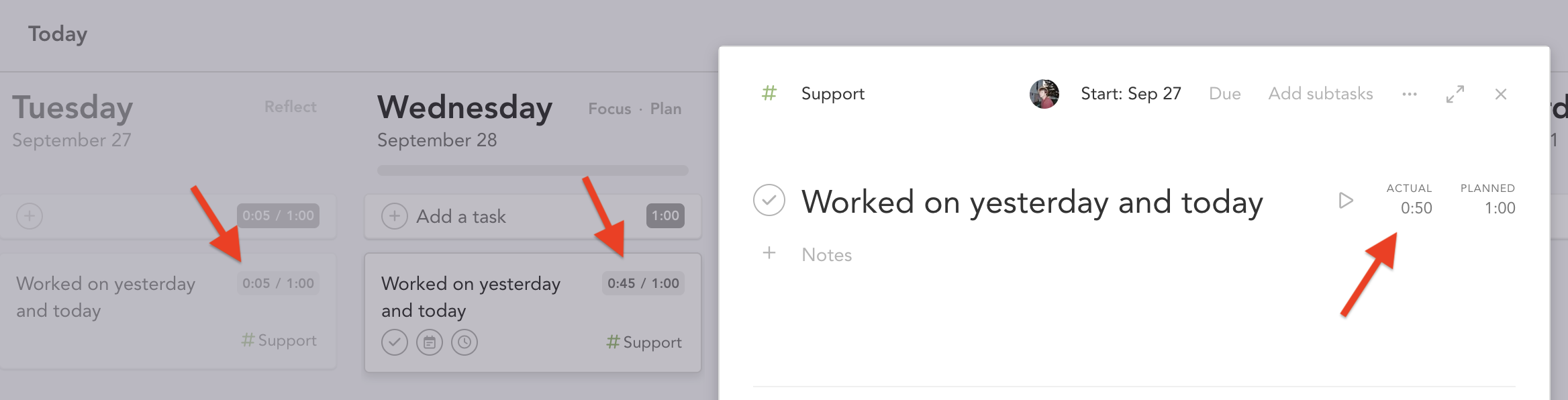
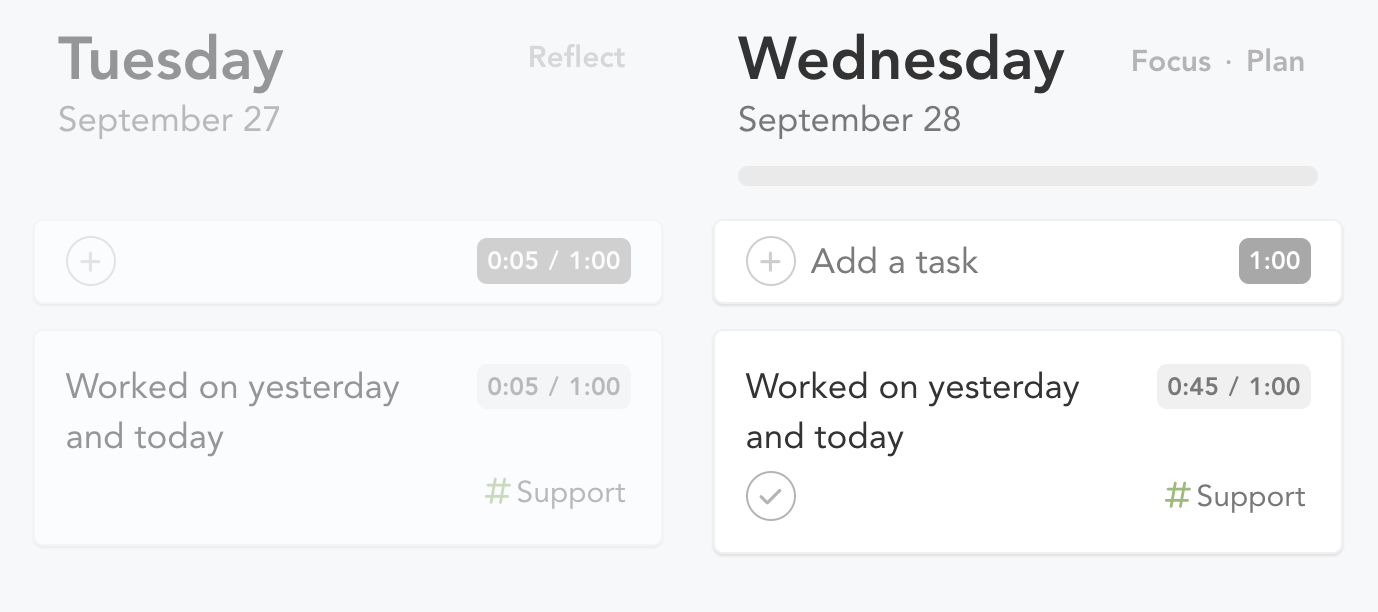
Why do incomplete tasks show in yesterday’s column?
A task will show, greyed out, in yesterday’s column if actual time was logged on it, even if uncompleted.
Workspace Management
Merging Workspaces
If you want to create a shared Sunsama workspace or add company users under one account:
- Designate an admin (the person responsible for billing)
- The admin sends invites individually or via link
- Each person accepts the invite delivered via email
- Select “No. I want a single workspace” (recommended)
Transitioning to a Personal Account
If you are leaving your company and want to keep using Sunsama, or want to ensure access without your work email:
Navigate to account management settings and change your primary email to a personal account. Delete any existing personal accounts first if needed.
Ejecting from a Workspace
If you want to leave a team workspace and keep using Sunsama on your own, go to Settings → Workspace → Leave the workspace. If this team workspace is your only one, choose Leave and create a personal workspace to keep your account. Your tasks, channels, and Sunsama calendar are moved into the new personal workspace. Notes and comments on shared events with teammates remain in the team workspace.
If you leave without creating a personal workspace and have no other workspace, your Sunsama account is permanently deleted.
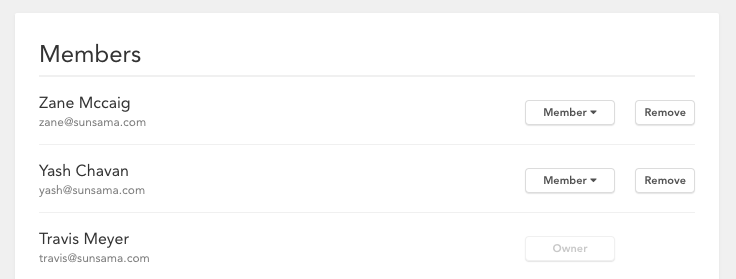
How do I remove a teammate?
Update via Settings > Members page (admin only). Confirm removal twice.
How do I change workspace name or URL?
Available in workspace settings for admins.
Can I turn off spellcheck?
Contact support via in-app chat or support@sunsama.com.
Account Management
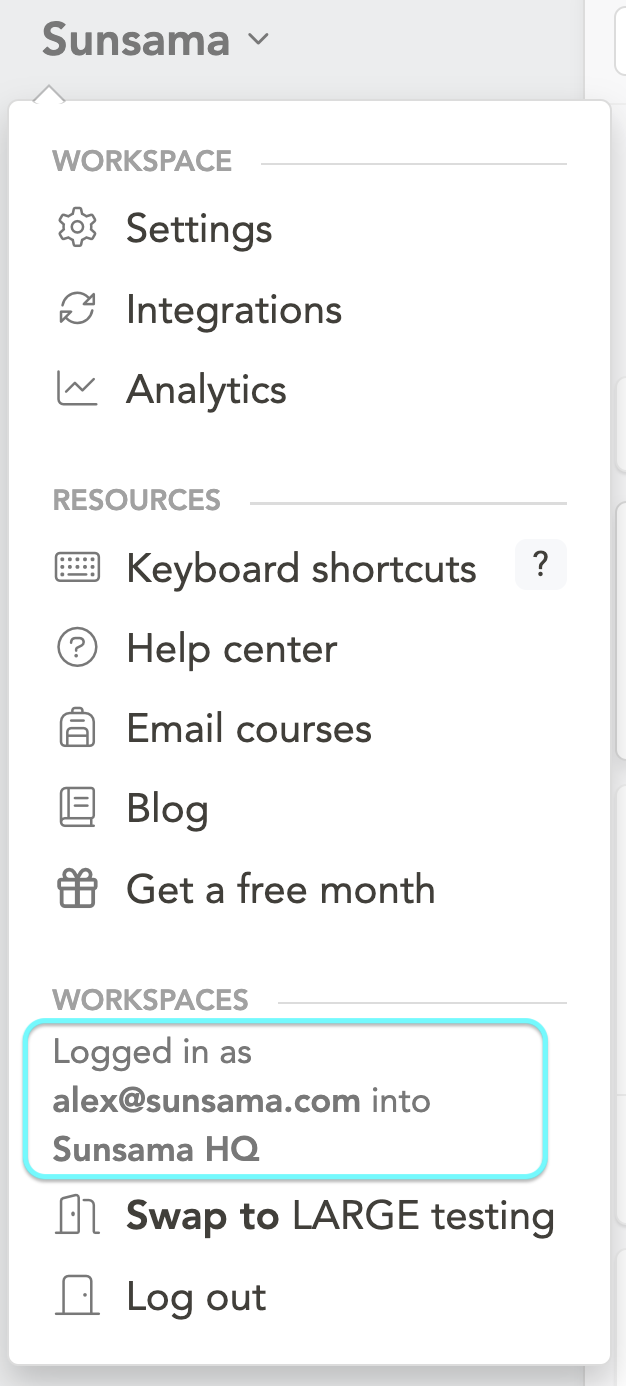
Which account am I logged into?
Click the main dropdown and scroll to the bottom.
I can’t integrate my work calendar. Workarounds?
- Manually re-enter meetings
- Share work calendar via free/busy to personal account
- Request IT approval via the provided guide
Can I export my data?
Access via Settings > Account Management > Export my data.
Billing FAQs
See: Billing overview and FAQs
Desktop and Mobile Apps
Where do I get the Desktop app?
Download from sunsama.com/desktop.
Does the Desktop app support older Windows?
The desktop app does not support Windows 7/8/8.1 or older. The desktop app uses Electron, which stopped support for these Windows versions in 2023.
Where are the iOS and Android apps?
Download from sunsama.com/mobile.
Is there an iPad app?
Yes, available via the App Store.
Integrations
Why do I see more Gmail emails than expected?
Check the “Archived” toggle in filter settings; archived emails display when viewing specific folders.
Does Sunsama support on-premise integrations?
In general, we do not have support for on-premise integrations as this creates many unique issues we do not have the capacity to support at this time.
Does Sunsama work with self-hosted Exchange servers?
We have customers with hosted exchange servers that can integrate with Sunsama. Others cannot. Users must login with Microsoft accounts (login.live.com) even with hosted servers.
Miscellaneous
Is there a Slack community for Sunsama users?
Yes. It doesn’t have a permanent invite link, so write to us at support@sunsama.com or use the in-app messaging tool and we’ll send you one.