Choosing Your Calendar
Understand how timeboxing interacts with your calendar and control which calendar your working sessions are created on.
Where do timeboxed tasks/working sessions end up?
When you timebox a task, Sunsama creates events on your Google and/or Outlook calendar(s).
How do I control which calendar my tasks are timeboxed to?
You can configure this via the Settings page in the Calendars section.
Schedule to a default calendar
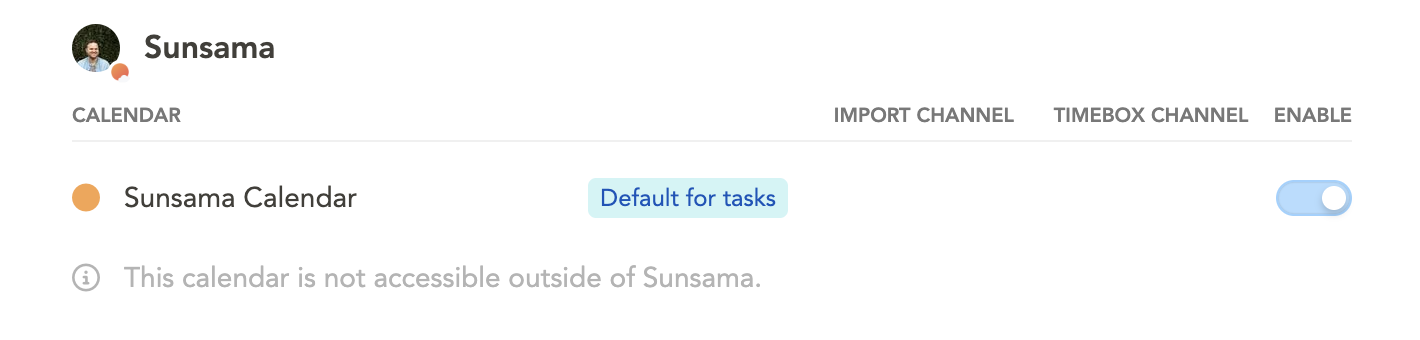
If you want a default calendar for tasks to be timeboxed to, click on that calendar and turn on the toggle for “Default for tasks”.
The “Default for tasks” setting acts as a fallback and will not override channel-specific settings.
Schedule to different calendars depending on the task’s channel
You can link channels to specific calendars through the Timeboxing Channel setting. This overrides the default calendar preference.
We recommend linking your #personal context to a personal calendar to prevent personal tasks from appearing on your work calendar.
How to not clutter your calendar with working sessions
If you do not want your timeboxed tasks to show up on your external shared calendars, designate the Sunsama calendar as “Default for tasks”. This keeps your working sessions within Sunsama and off your Google, Outlook, or iCloud calendars.